× FLIGHT CONTROLS
Explore at your own pace. Player guidance · Suggested age 12+ Fantasy combat, laser fire, explosions and destruction of buildings and vehicles. Contains flashing effects and rapid camera movement.
UAPRAD guidance for this development build; not an official PEGI or ESRB rating. Parental guidance advised.
Events and weapon effects are fictional. Combat is optional.
W / S Away from / towards the camera A / D Left / right across the camera view E / Q Ascend / descend 1 / 2 Spin left / right (hold) 3 Toggle craft lights 4 Honk sound 5 Choose daylight / dusk / night; mission requirements take priority Tab / Shift + Tab Next / previous morphology while the flight view is focused L Land and shut down; start engines from the cockpit. Mothership: lower Greg by beam. Space Faster flight; run while walking B Brake and hover J Jump while exploring the Range on foot Arrow keys Look left / right / up / down Drag / scroll Orbit / camera distance F Craft: activate or release its field. On foot with the laser gun: hold to fire. R Exit a parked craft, interact nearby, or reboard at its ground marker; also dock or release beam travel in flight I Toggle inspection flight and extended camera distance V Switch between Greg and first-person view while walking outdoors or aboard the mothership H Hide / show nonessential interface panels P / M Pause / expand map Movement follows the camera view: forward moves away from the camera, and left and right follow the screen. Moving with WASD smoothly aligns the craft with that view. At rest, 1/2 spin the craft independently and the arrows or dragging let you inspect it from any angle. Turning with 1/2 while moving turns the camera with the craft. Press H or use Hide UI for a clearer view; flight, field, gyro and pause controls remain available. On touchscreens, move the joystick up/down for forward/reverse travel and left/right to steer. The camera follows behind the craft as it turns. Drag the scene to look around; releasing the joystick leaves the view free for inspection. The right buttons control turning, altitude, faster travel and braking. Optional gyro also steers the craft: tilt left/right while using the joystick to turn, and return to neutral to stop turning. At rest it provides a bounded camera view. For altitude, tilt the phone to look down and descend, or look up and ascend. Return to the neutral tilt to stop changing altitude. Switch gyro on while holding the device comfortably, and use Centre gyro to reset the neutral position. Motion permission and sensor availability depend on your browser.
To explore the base on foot in a small craft, settle near clear ground and press L to land and shut down. Press R to exit as Greg. WASD or the joystick walks, Space runs, and arrows or dragging look around. Press V to change the walking view. Return to the ground boarding marker and press R to reboard, then L to start the engines. The craft remains parked while you walk; map travel and craft changes are unavailable until flight resumes.
A laser gun is stored in a hangar. Approach it on foot and press R to pick it up. Aim with the centre reticle, then hold F or Fire laser to shoot. The weapon is available during outdoor walking.
The mothership remains hovering with its engines running. Press L or R to lower Greg by beam. Return to the beam marker and press R to rise back to the ship.
Aboard the mothership, WASD or the joystick walks, Space runs, and arrows or dragging look around. Press V or use the view button to switch between Greg and first-person views. Both views share the same position. The third-person camera moves closer near walls. Centre gyro resets your look direction without changing the selected view. Greg view becomes available after his model has loaded.
Ground and structure clearance assist protects the craft. The small perimeter fence marks the ground boundary; the HUD identifies the airborne range limit.
Settings offers fixed Daylight, Dusk and Night lighting. Missions load an appropriate time of day before they begin; a mission may lock that choice while it is active. Return to Free Roam to choose freely. Craft lights enables illustrative emission, aura and nearby light spill for selected forms. The star field, moon position and lighting are authored visual treatments.
Handling values are authored for exploration. They are not measured UAP capabilities. Use the map to travel between destinations while flying. On the range, use Return to craft to reboard your parked craft.
F activates your craft field; press F again to release it. In the mothership, R lowers Greg by passenger beam or returns him from the beam marker. To board the mothership in a small craft, fly up the central well, land on the marked landing space, exit and walk through the arrivals doors. The interior loads before entry, and your craft remains outside. Exit mothership returns you to that landing space. I toggles slow inspection flight and a wider camera range. Choose Free Roam to explore freely, or Missions to follow the campaign. You can switch back to Free Roam while retaining earned progress. Settings also provides training drone options, sound controls and target reset. Weapons follow the centre reticle. Fields can damage buildings and vehicles; personnel evacuate and repair damage. Continued attacks trigger a base response. Use Stand down to stop the response immediately and let the alert subside, or Rebuild range to restore buildings and vehicles. Personnel acknowledge nearby low craft with R. Each craft has an optional mission and an earned handling and field upgrade. The saucer can lift marked cargo with R; the Tic Tac has a timed gate course. Training drones reset as a group 45 seconds after the last drone is disabled. World damage and mission progress are saved locally in this browser.
Open this morphology's research Setting, sources and assets Groom Lake and Edwards inform the dry-lake airfield. Sandia's Tonopah history informs the instrument range. The hillside annex interprets a motif in Lazar's S4 account; its existence and contents are not established by this environment.
CIA: Groom Lake · NPS: Rogers Dry Lake · Sandia: Tonopah · Project Gravitaur: S4 account
Original UAPRAD environment and craft geometry. Selected secondary props: Kenney, CC0. Photographic surfaces: Poly Haven, CC0. Renderer: Three.js, MIT. Personnel are initial articulated scale figures; detailed character art is a later build stage.
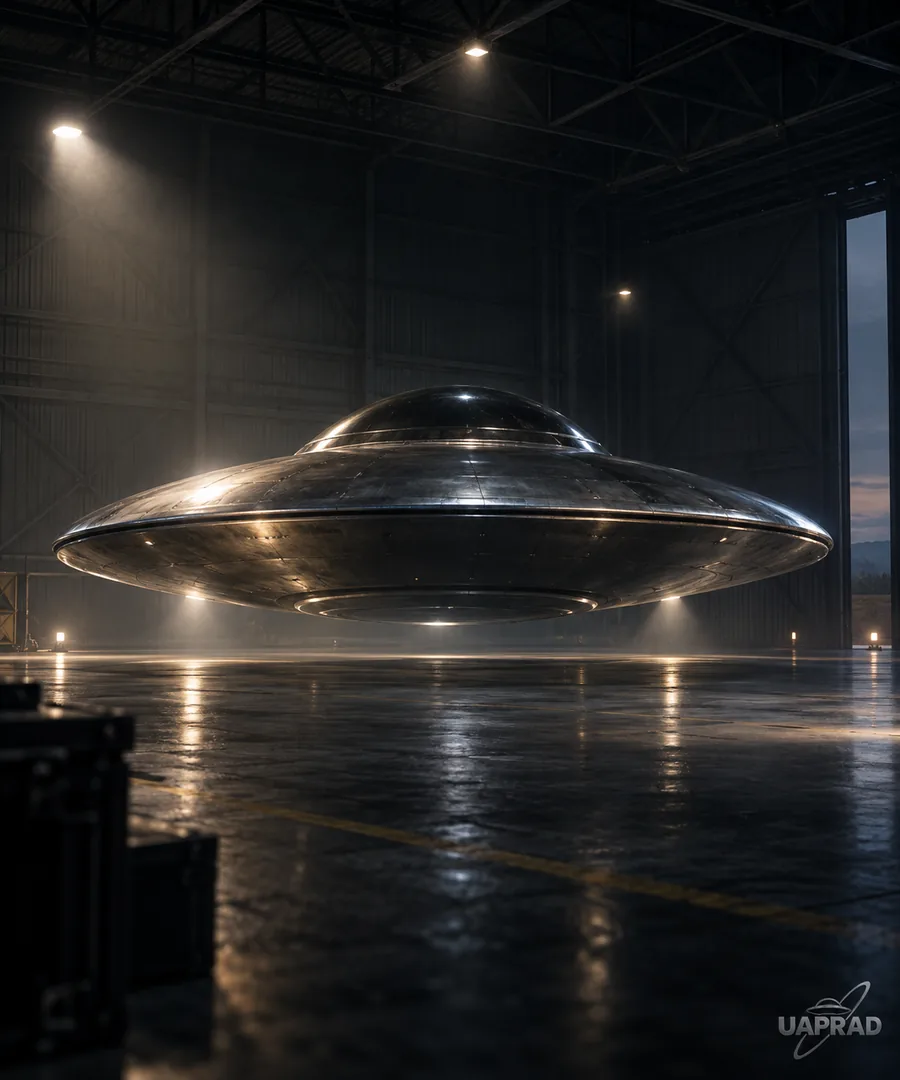
Disc mothership: an original fictional concept based on the selected UAPRAD design study. Game diameter: 3,000 m; maximum hull depth: 360 m. Its scale, structure and slow handling are authored for this game.
© 2026 UAPRAD Ltd. Original game material: all rights reserved. Game rights and third-party licences